
A Digital pen or Smart pen is an input device.You can use a smart digital pen to edit word documents, Design Power Point Presentations and solve maths equations in Excel etc..Digital pen is generally larger and has more features. Digital pens contain internal electronics and have features such as touch sensitivity,input buttons,memory for storing handwriting data and transmission capabilities.
Digital Pen is a pointing device like the mouse.
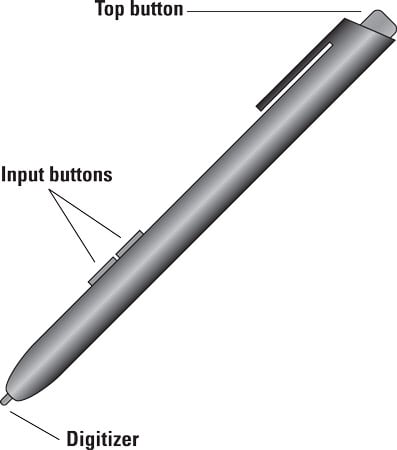
The stylus works by touching the tablet's screen which is a Digitizer. You can point the pen at the screen, touch the screen and manipulates items in interesting ways.The function of the pen's buttons varies. One of the input button is the right click button. On a two-button stylus, the second button is the erase button.
To confirm that your tablet PC can use a digital pen,open the control panel. On the Hardware and sound screen, look under the Pen and touch category. If you see an item titled change Tablet Pen settings, your laptop can use a digital Pen.
- Some digital pens feature one button, not two.If so, the solo button is the right-click button.
- You can still use the stylus on the screen of a convertible tablet PC when it's in a standard laptop configuration.
- Some digital pens use Batteries.


 Posts
Posts


Informative for windows users
ReplyDelete